
This article highlights how notifications work and where they are displayed in Dispatch depending on what category they're in. First, let's discuss the different ways you'll be notified in Dispatch.
Missed calls or unread messages
You will be notified of a missed call or new message in a few ways:
- Notification Tray (lock screen)
- green for message, red for call
- Banner notification (if the phone is unlocked)
- Unread badge displayed on the Dispatch app itself
- Unread badge on the bottom navigation bar
- messages and/or calls tab depending on what type of communication was received
- Notification next to the category the contact is assigned to (more information below)
 icon on the top-left of Dispatch.
Notification received from a work or personal contact
When you receive a message or call from a contact/number that is assigned to one or more categories, you will be notified in a few ways. Read the information and example below for details.
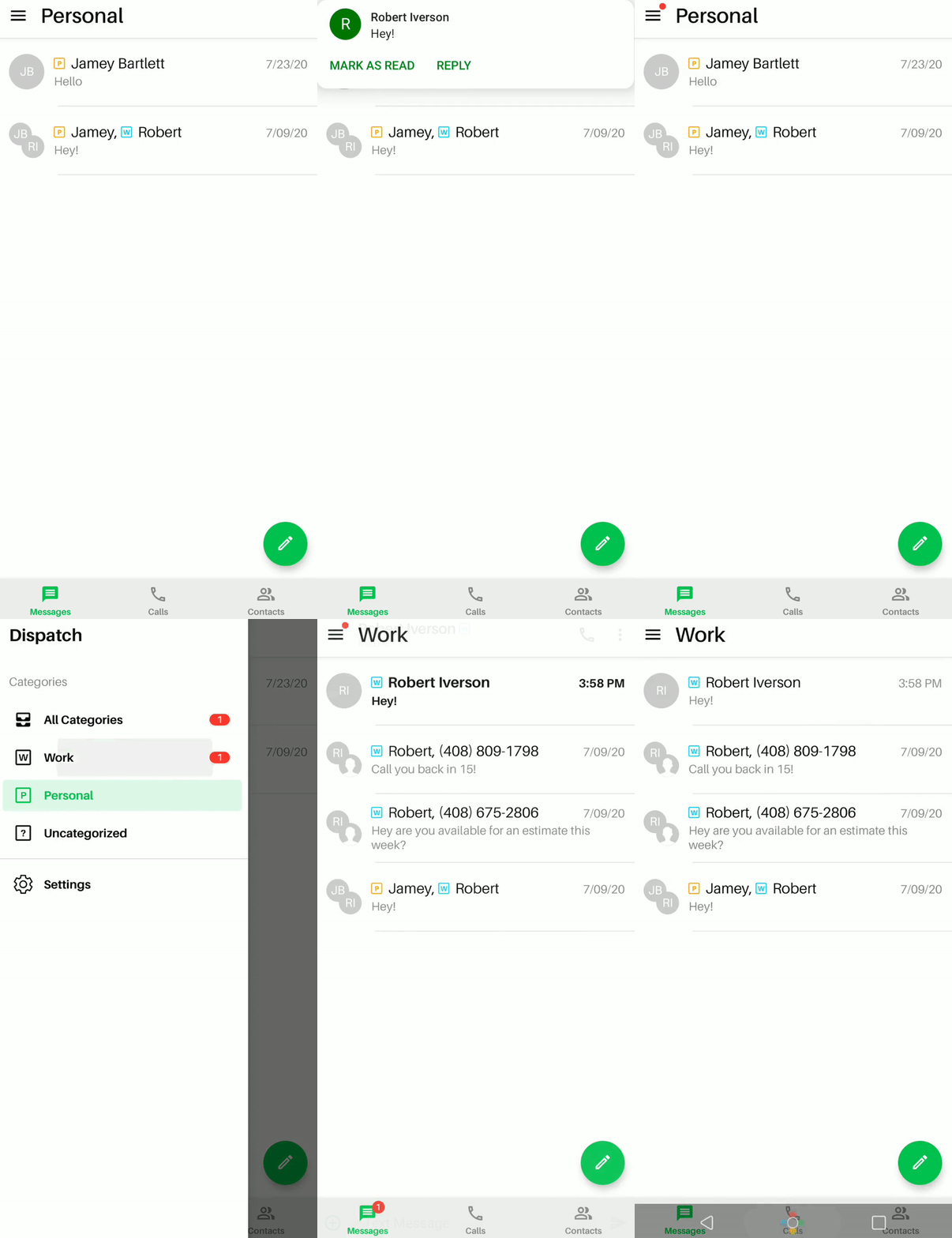
Example: You receive a text message from a contact who is assigned to your Work Category while viewing your Personal Category.
How you'll be notified in Dispatch:
You'll see a banner notification of the message (when Dispatch is open), as well as a red dot (pictured below) on the Dispatch menu (which means that you have an unread message outside of the category that you're currently viewing.)
Important: The unread badge notification will not be displayed in the bottom navigation bar until you switch to the category that contains the new message (as seen in the video below)
Notification received from an uncategorized contact/number
Notifications from an unassigned contact or number will display similar to notifications in the work/personal category (as explained above). The only difference is how the notification is shown in the Categories menu.
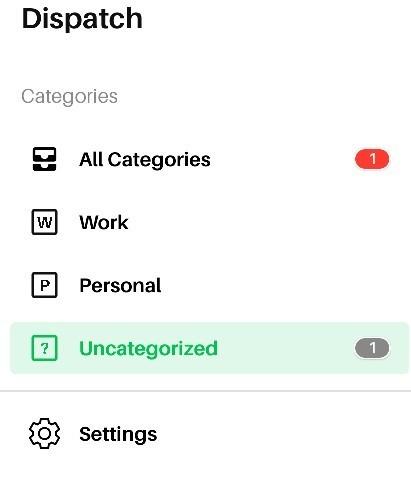
Example: You receive a text message from an uncategorized number.
How you'll be notified in Dispatch: You will see the notification in red in the 'All Categories' filter. To view your new message, you will have to view the 'All Categories' or 'Uncategorized' filter, then tap the 'Messages' tab which will display the new message.
If you need further clarification on how notifications are displayed when using Dispatch, send us an email via Dispatch Settings > Contact Us.
Comments
0 comments
Please sign in to leave a comment.