
This article explains how to initially set up categories in Dispatch, as well as how to add or remove contacts/numbers from categories.
Initial Setup
After you have gone through the initial steps in setting up Dispatch on your Android device, you can begin the category set up.
By default, when you open the app (after you have set Dispatch to your default messaging app), you will see the 'All Categories' list in the message inbox.
Categorization
Dispatch can categorize based on information found in three places. It can take previous call and message history, as well as contact/address book information to categorize.
To set up your work and personal categories initially, you will use your address book contacts to get started.
After that, you can decide how you want to categorize your work and personal contacts, whether it be by conversations or call log history.
Work Category Setup:
We recommend setting up your work category initially to start filtering your work contacts from your personal contacts.
To do so:
- Tap the
 icon on the top-left of your inbox
 - Tap 'Work' under Categories
- Tap 'Select Work Contacts' (if in the calls or contacts tab) or 'Get Started' (if in the messages tab) to begin a bulk selection of the contacts you wish to add to your work category
- Check the box of the contact name(s) you wish to add
- After you have selected the names you want, tap 'DONE'
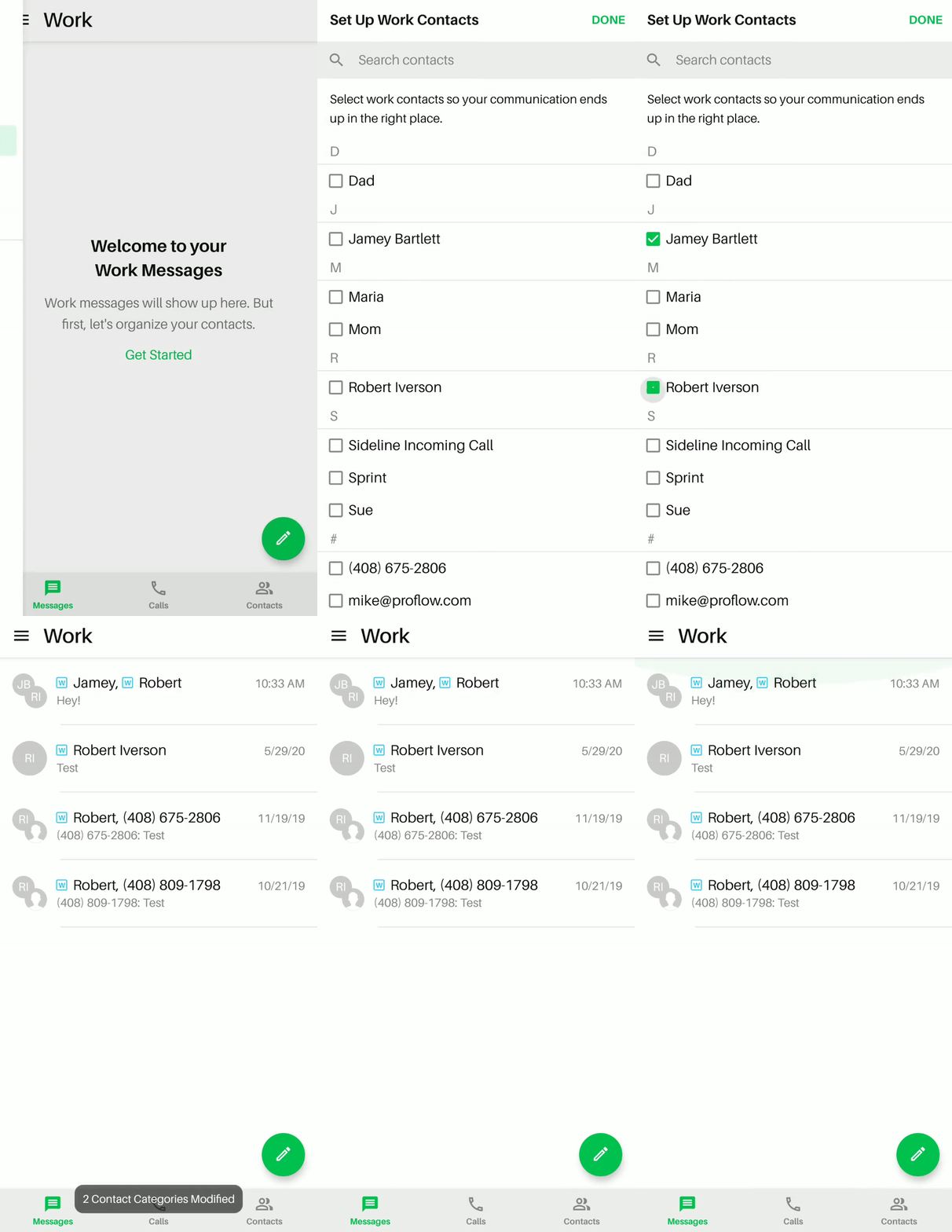
Personal Category Setup:
We recommend setting up your personal category as well to keep those contacts separate from work.
To do so:
- Tap the icon on the top-left of your inbox
- Tap 'Personal' under Categories
- Tap 'Select Personal Contacts' (if in the calls or contacts tab) or 'Get Started' (if in the messages tab) to begin a bulk selection of the contacts you wish to add to your personal category
- Check the box of the contact name(s) you wish to add
- After you have selected the names you want, tap 'DONE'
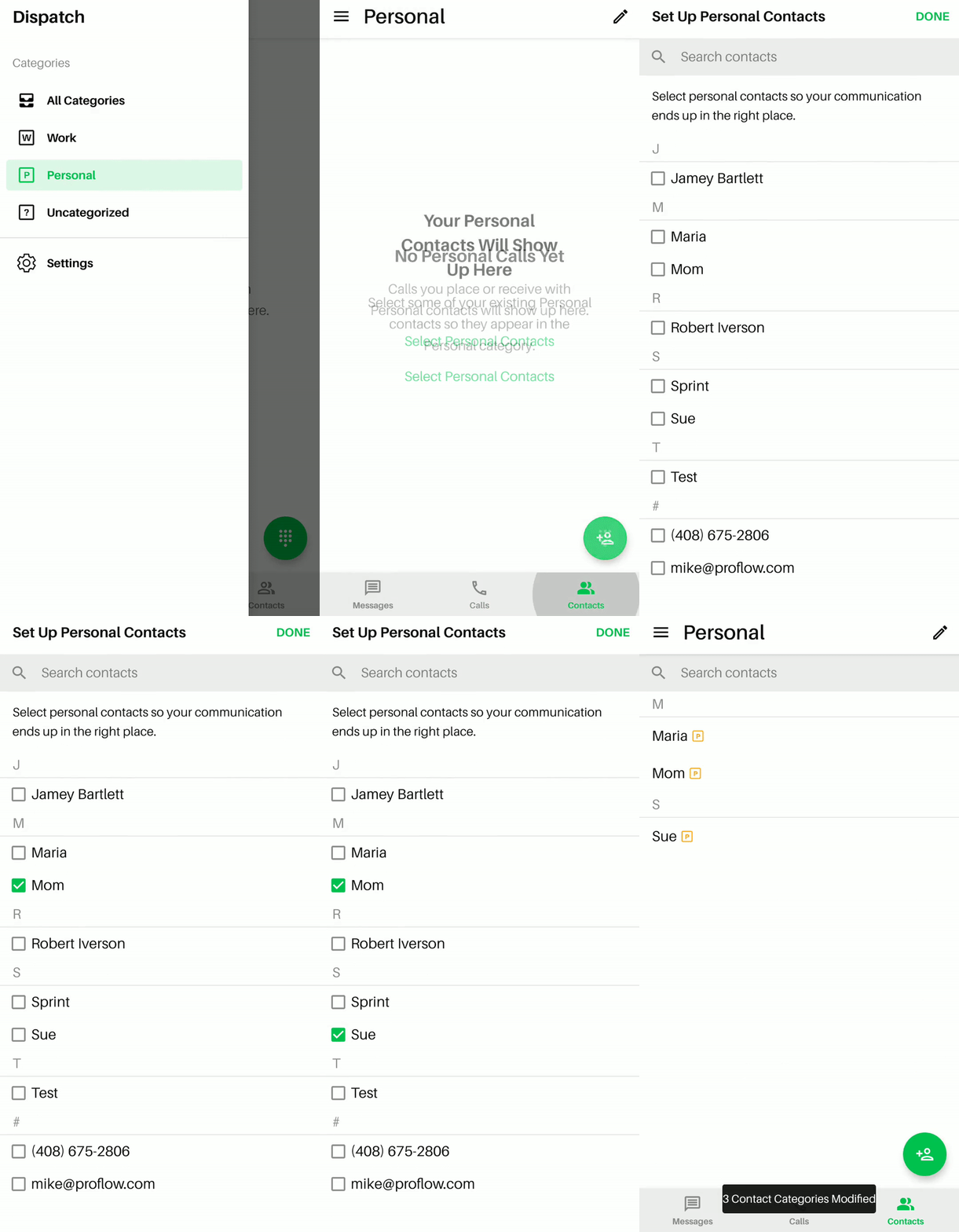
Managing Categories & Sub-Categories
FYI: As of Dispatch app version 2.0, you can now add sub-categories under the work and personal category.
Creating a Sub-Category:
- Settings Menu
- Manage
- Choose which category you want to add a sub-category to
- Enter name
- Save
Please Note:
- You can have up to 5 sub-categories per category
- Max of 40 characters allowed for sub-category name
- You cannot rename the work or personal categories
Assigning & Removing contacts from a category/sub-category
Instructions can be found in the following articles:
If you have further questions on setting up and managing categories in Dispatch, send us an email via Dispatch Settings > Contact Us.
Comments
0 comments
Please sign in to leave a comment.